
Tutorial: Hue integration in Loxone via ioBroker
Tutorial
This tutorial shows how to integrate Philips Hue products into Loxone via the Hue Bridge with the help of ioBroker.
Requirements:
- Loxone Miniserver
- Running ioBroker
- Philips Hue Bridge (set up)
ioBroker adapters used:
- Loxone
- hue
- Simple RESTful API
- Script Engine (Javascript)
Video about the project (in German)
IMPORTANT!
Unfortunately I made a mistake in the video.
I forgot to show how to create the data point.

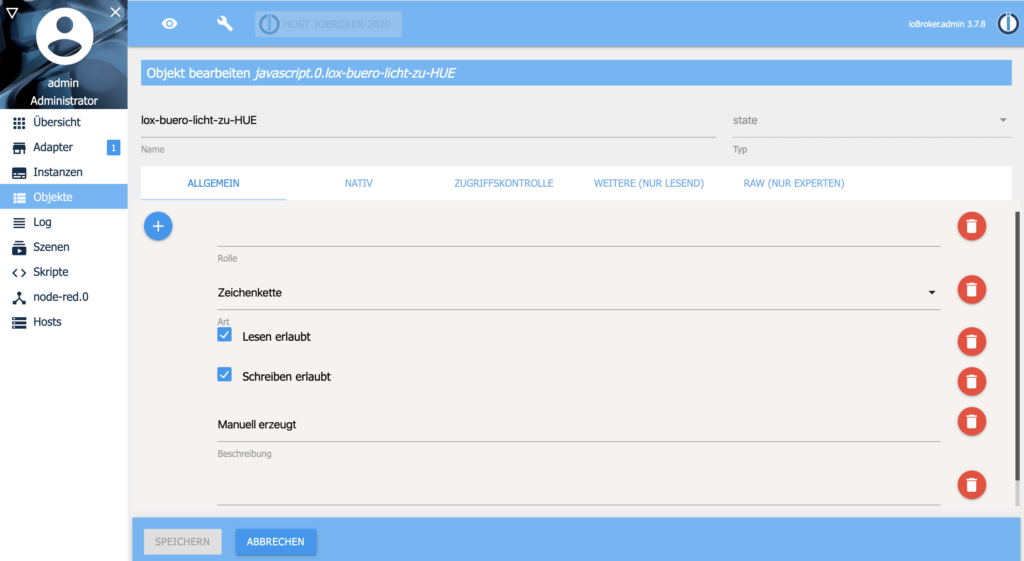
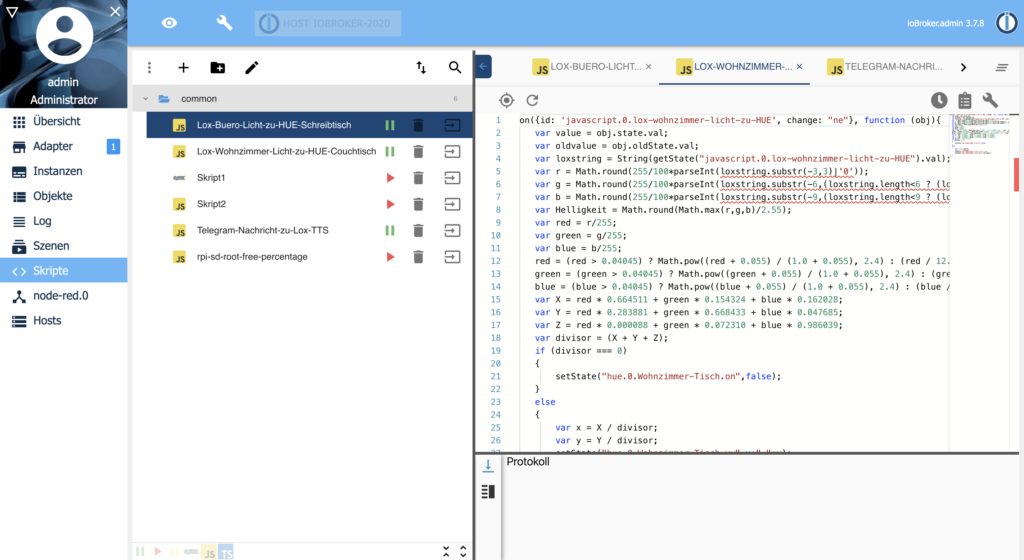
In this example my data point is called:
javascript.0.lox-buero-licht-zu-HUE
You then enter the name of the created data point in Loxone Config in the address and in the first line of the ioBroker script.
The name of the script itself does not matter.
Script for ioBroker
Download (as JSON in a ZIP file)
Example file name: “lox-Buero-Licht-zu-HUE-Schreibtisch”
Code:
on({id: ‘javascript.0.lox-buero-licht-zu-HUE’, change: “ne”}, function (obj){
var value = obj.state.val;
var oldvalue = obj.oldState.val;
var loxstring = String(getState(“javascript.0.lox-buero-licht-zu-HUE”).val);
var r = Math.round(255/100*parseInt(loxstring.substr(-3,3)|’0′));
var g = Math.round(255/100*parseInt(loxstring.substr(-6,(loxstring.length<6 ? (loxstring.length-3) : 3))|’0′));
var b = Math.round(255/100*parseInt(loxstring.substr(-9,(loxstring.length<9 ? (loxstring.length-6) : 3))|’0′));
var Helligkeit = Math.round(Math.max(r,g,b)/2.55);
var red = r/255;
var green = g/255;
var blue = b/255;
red = (red > 0.04045) ? Math.pow((red + 0.055) / (1.0 + 0.055), 2.4) : (red / 12.92);
green = (green > 0.04045) ? Math.pow((green + 0.055) / (1.0 + 0.055), 2.4) : (green / 12.92);
blue = (blue > 0.04045) ? Math.pow((blue + 0.055) / (1.0 + 0.055), 2.4) : (blue / 12.92);
var X = red * 0.664511 + green * 0.154324 + blue * 0.162028;
var Y = red * 0.283881 + green * 0.668433 + blue * 0.047685;
var Z = red * 0.000088 + green * 0.072310 + blue * 0.986039;
var divisor = (X + Y + Z);
if (divisor === 0)
{
setState(“hue.0.Schreibtisch.on”,false);
}
else
{
var x = X / divisor;
var y = Y / divisor;
setState(“hue.0.Schreibtisch.xy”,x+”,”+y);
setState(“hue.0.Schreibtisch.level”,Helligkeit);
}
});

